
2026-11-25 Building a Rapidez webshop with AI
We asked Claude to rebuild a well-known Dutch webshop on a fresh Rapidez install, with Magento for the catalog and the orders, and Statamic for the content. We gave it one brief and a day. It needed 1 hour and 38 minutes 🚀
Below we go through every step from the video, with screenshots. At the end you'll find the skill we made from it, so you can try it on your own webshop.
We use that shop only as a reference. We built this demo locally, it isn't their shop, and we're not affiliated with them.
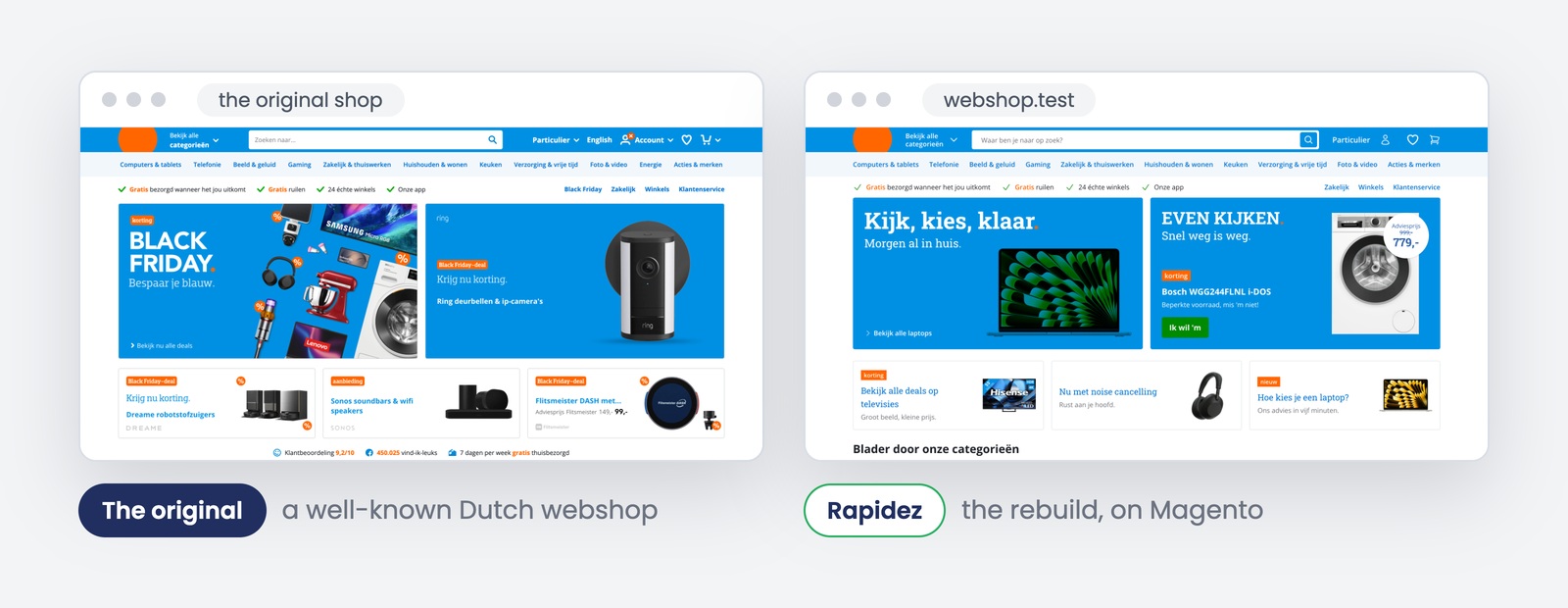
The brief
Everything started with this prompt in Claude Code:
Rebuild <a well-known Dutch webshop> as a Rapidez storefront on this fresh install.

- Research the site first: page types, colours, product types and their attributes.
- Reuse the existing Rapidez components; make the content pages and navigation manageable in Statamic, built from components.
- Create three product types in Magento, each with its own attributes, so the filters work.
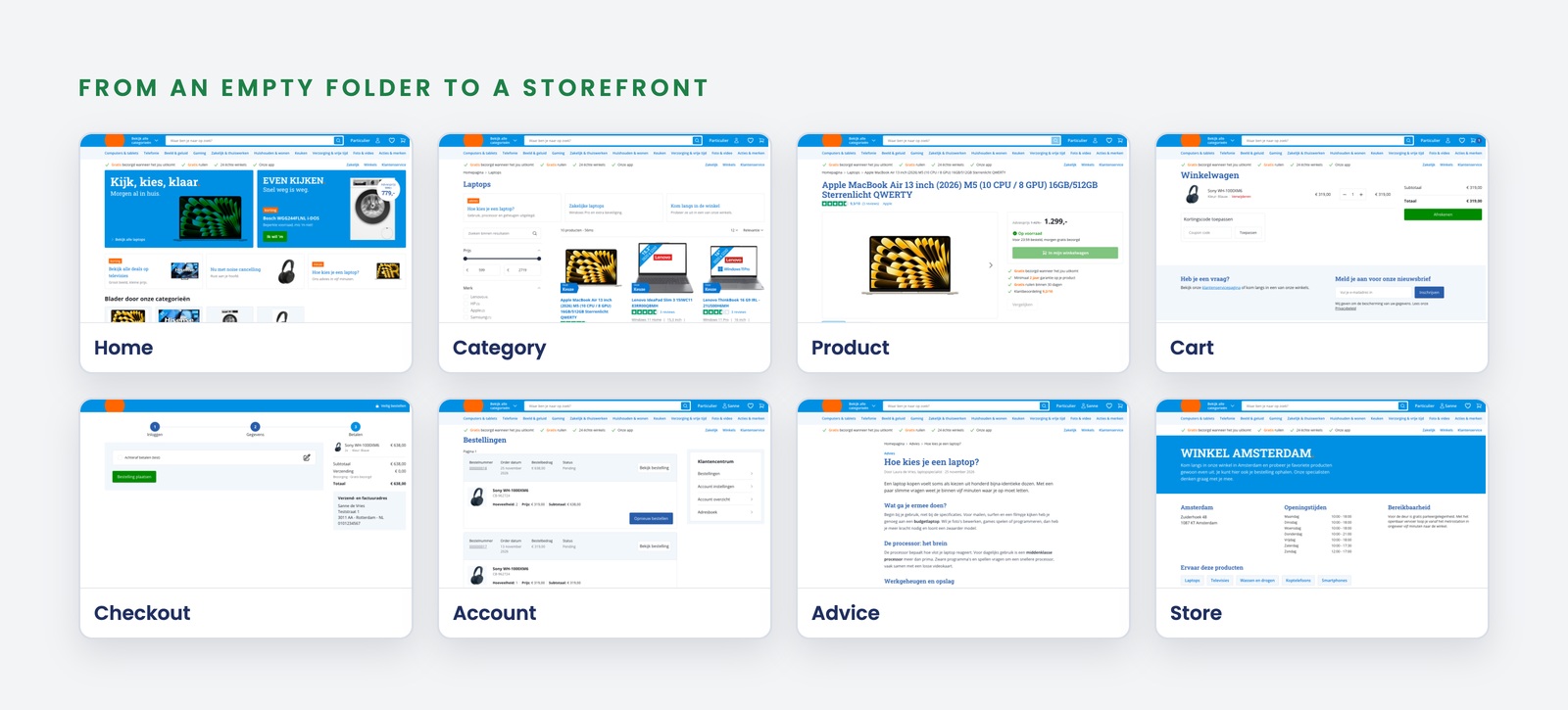
- Cover the whole flow: home, category, product, cart, checkout and account.
- Take over real products with their photos, and a few pages of each content type.
After that we only answered a few practical questions, like which URL to open the shop on. None of them changed the work.
Step 1: Install
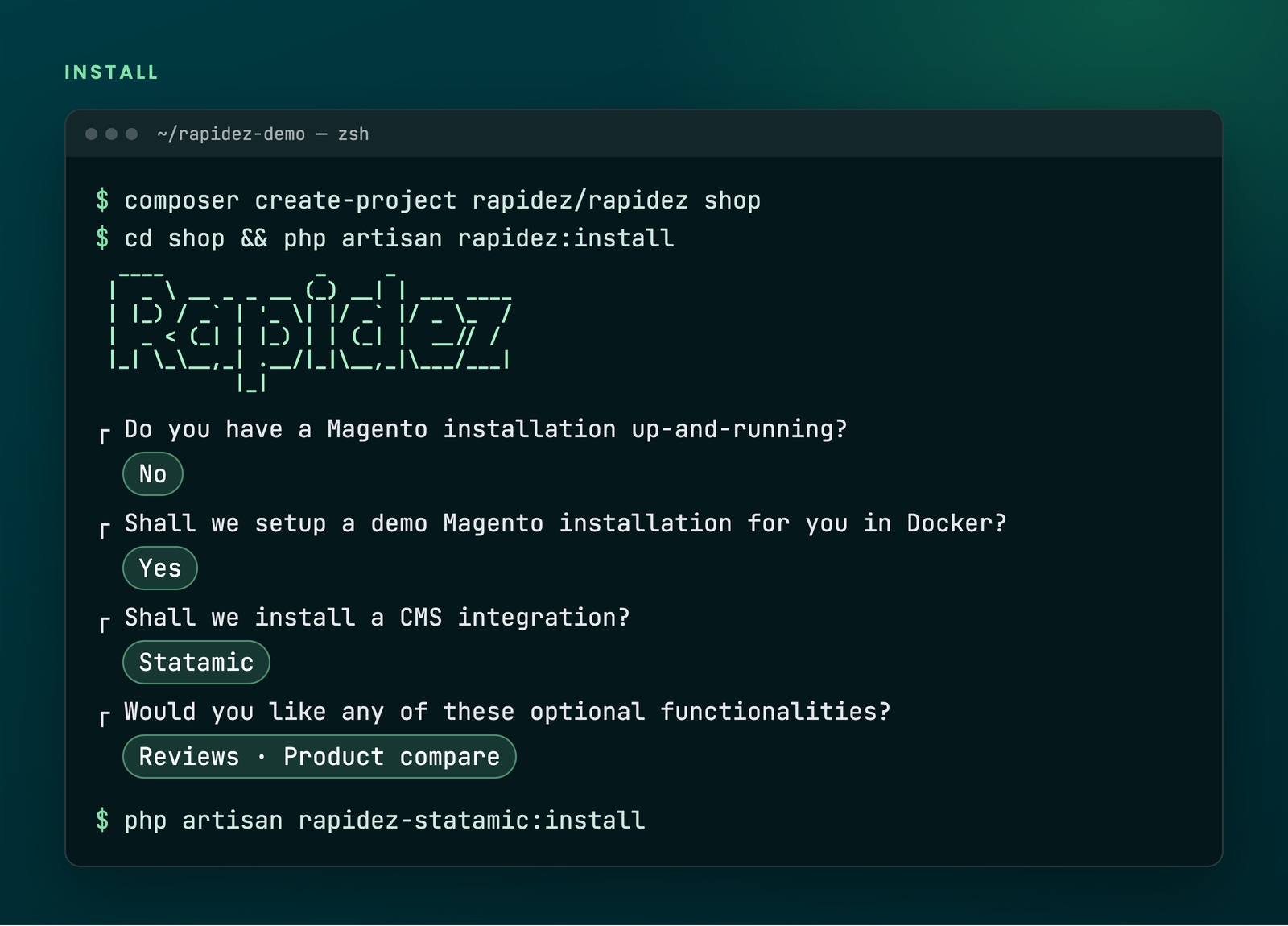
Claude starts in an empty folder, with the same commands you'll find in the installation docs:
composer create-project rapidez/rapidez shop
cd shop
php artisan rapidez:install
It answers the installer's questions itself: a demo Magento in Docker, Statamic as the (optional) CMS, and the reviews and product compare packages. After that php artisan rapidez-statamic:install sets up the Statamic side.
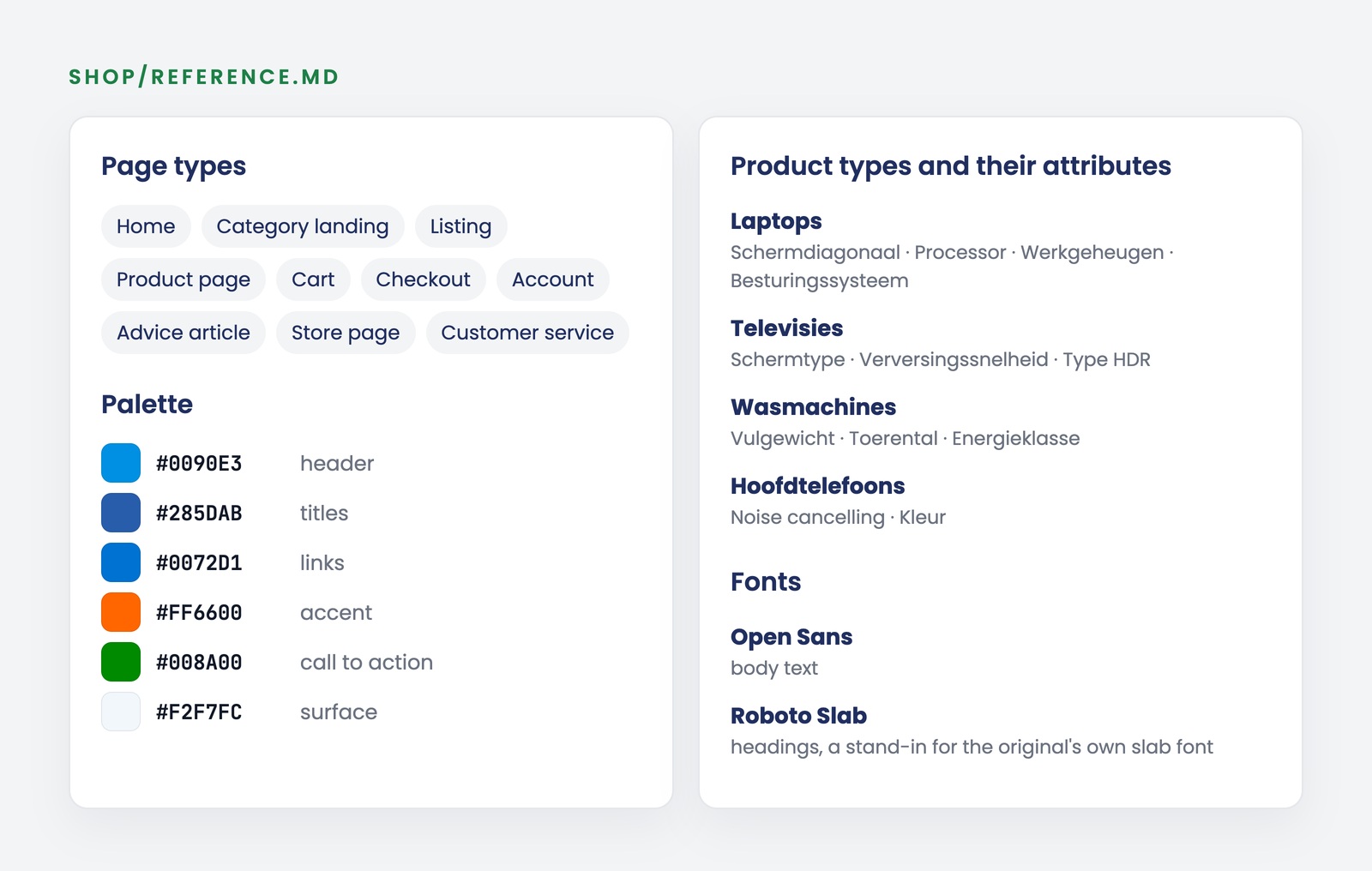
While the Magento containers start, Claude opens the original shop in a clean browser, logged out and with only the necessary cookies, and looks around like a developer would. It writes down the colours, the page types and what makes each product type different in a reference.md: screen size and memory for a laptop, load capacity and spin speed for a washing machine.
When the install is done there's a working demo shop, and the Statamic control panel for the content.
Step 2: Laravel Boost
composer require laravel/boost --dev
php artisan boost:install
Laravel Boost hands the AI the guidelines and skills that come with the packages in your project. Rapidez ships its own in rapidez/core, next to the ones from Laravel and Tailwind. In this project that added up to 9 guidelines and 8 skills, including rapidez-core-colors.
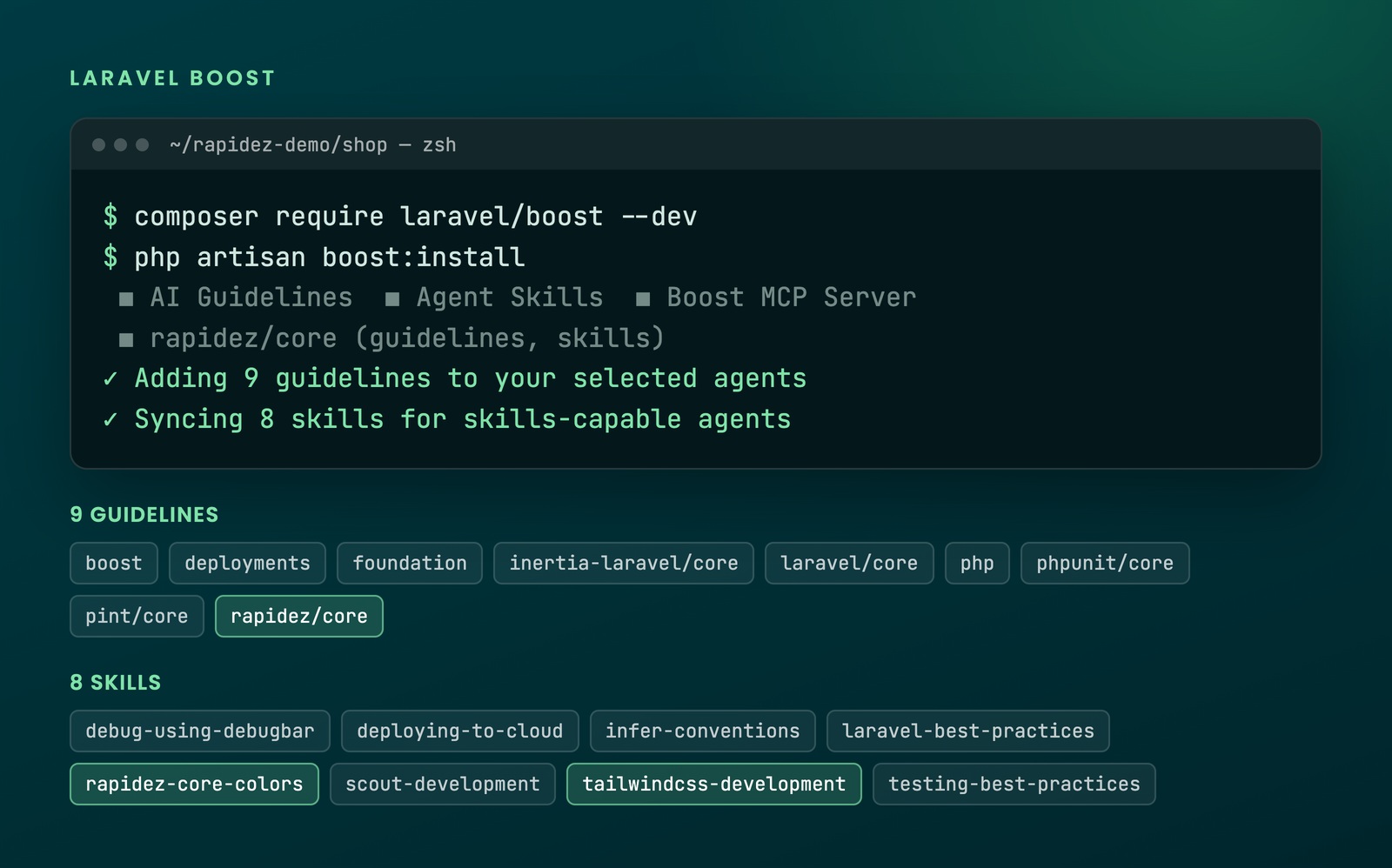
So before writing any code, Claude knows how Rapidez works. From the Rapidez guideline:
Catalog data is read straight from Magento's database schema via Eloquent … GraphQL is only used for write/transactional actions like cart and checkout.
The guideline also points to our docs through llms.txt, so before building, Claude read the pages on theming, the indexer and Statamic. Want to set this up in your own project? See the AI page in the docs.
Step 3: The look
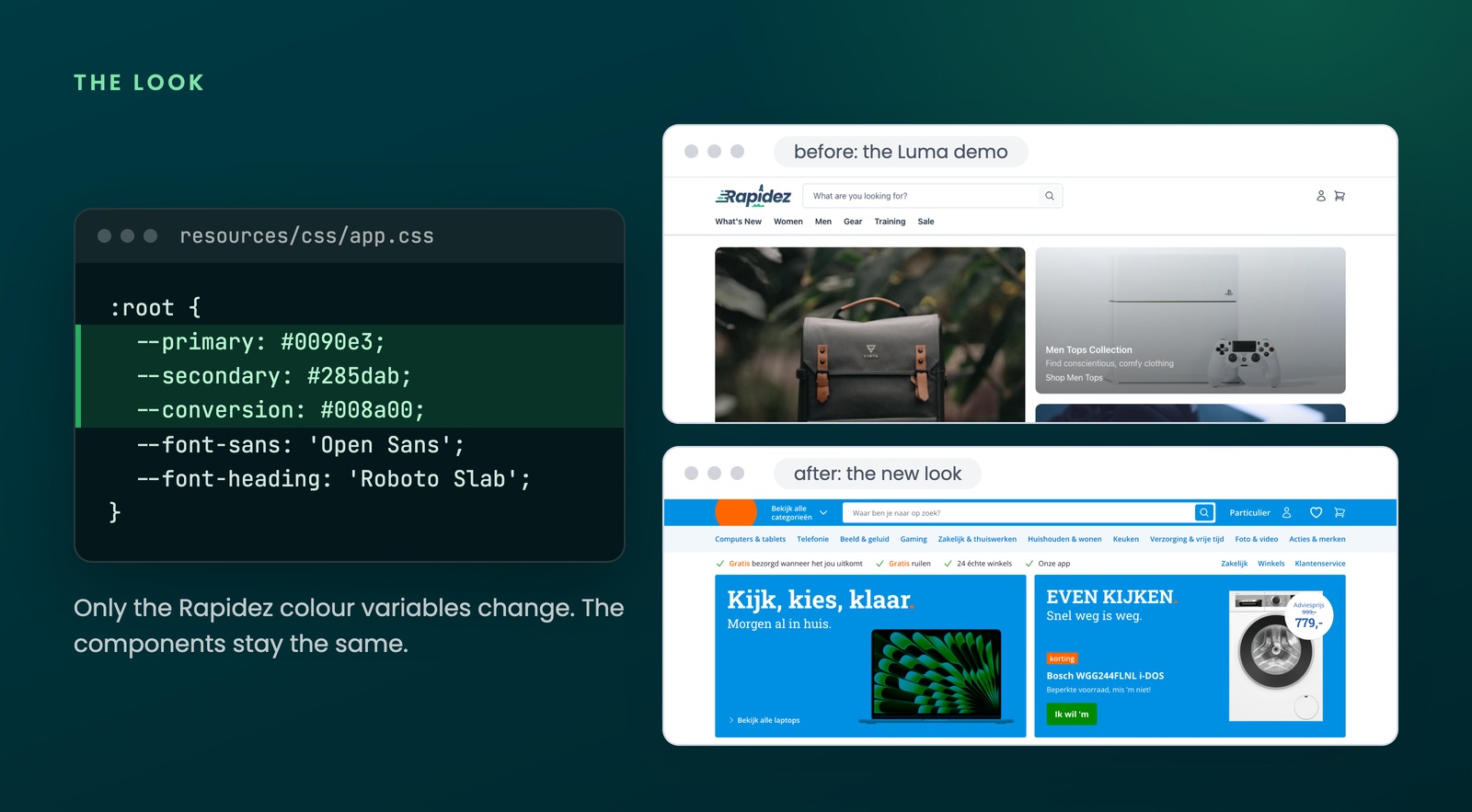
Claude restyles the Rapidez components that are already there instead of building new ones:
Colours: the Rapidez CSS variables in
resources/css/app.css, like--primary(#0090e3),--secondaryand--conversion(#008a00).Header: one Blade override, with the existing autocomplete, account menu and minicart.
Mega menu: the navigation component from
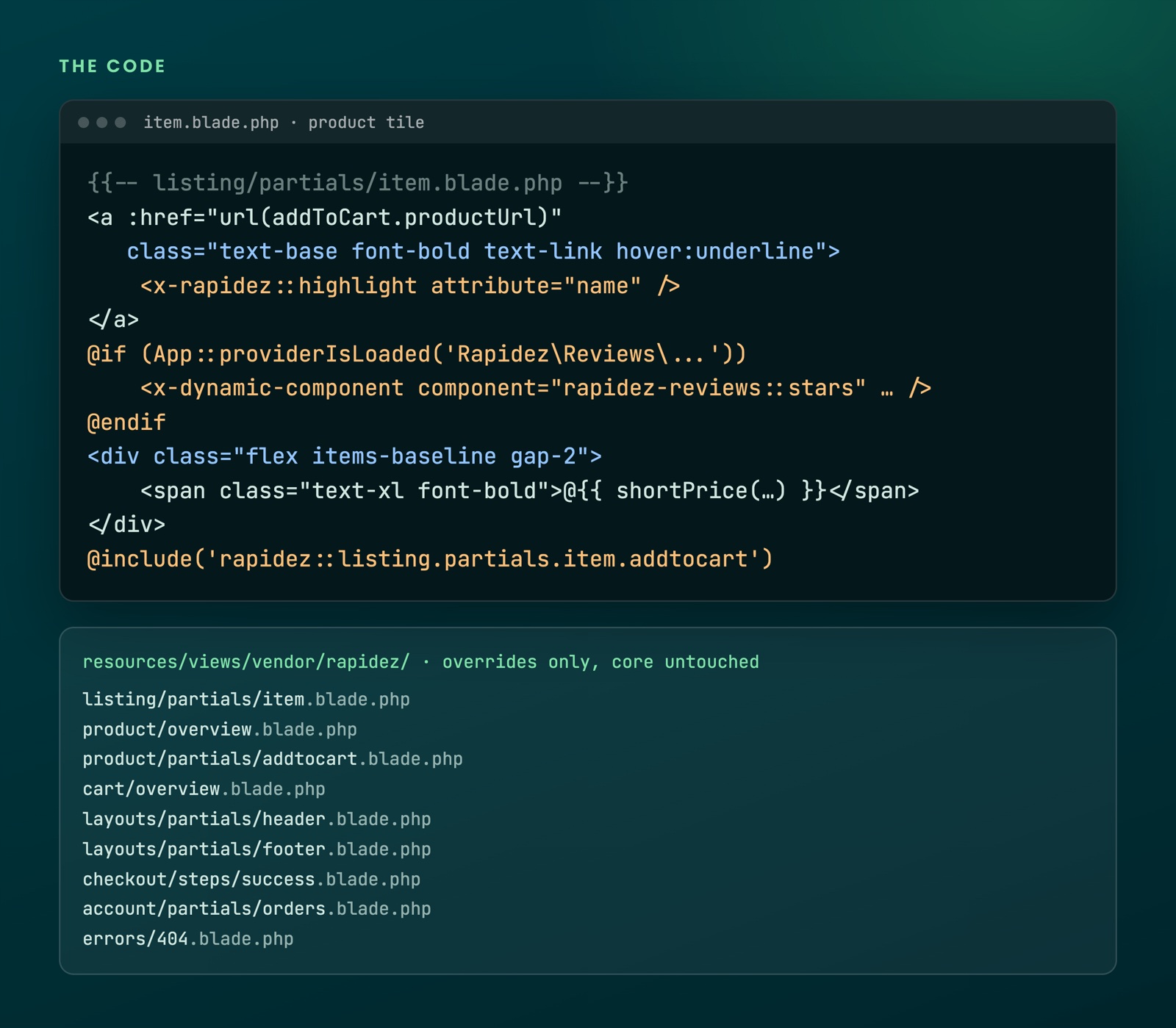
rapidez/statamic, with four columns.Product tile: an override of
listing/partials/item, with the review stars and the compare checkbox from the packages.
Because it follows the guidelines, the changes are small Blade overrides in resources/views/vendor and Tailwind classes. Nothing in vendor/ is touched, and the code looks like what a Rapidez developer would write.
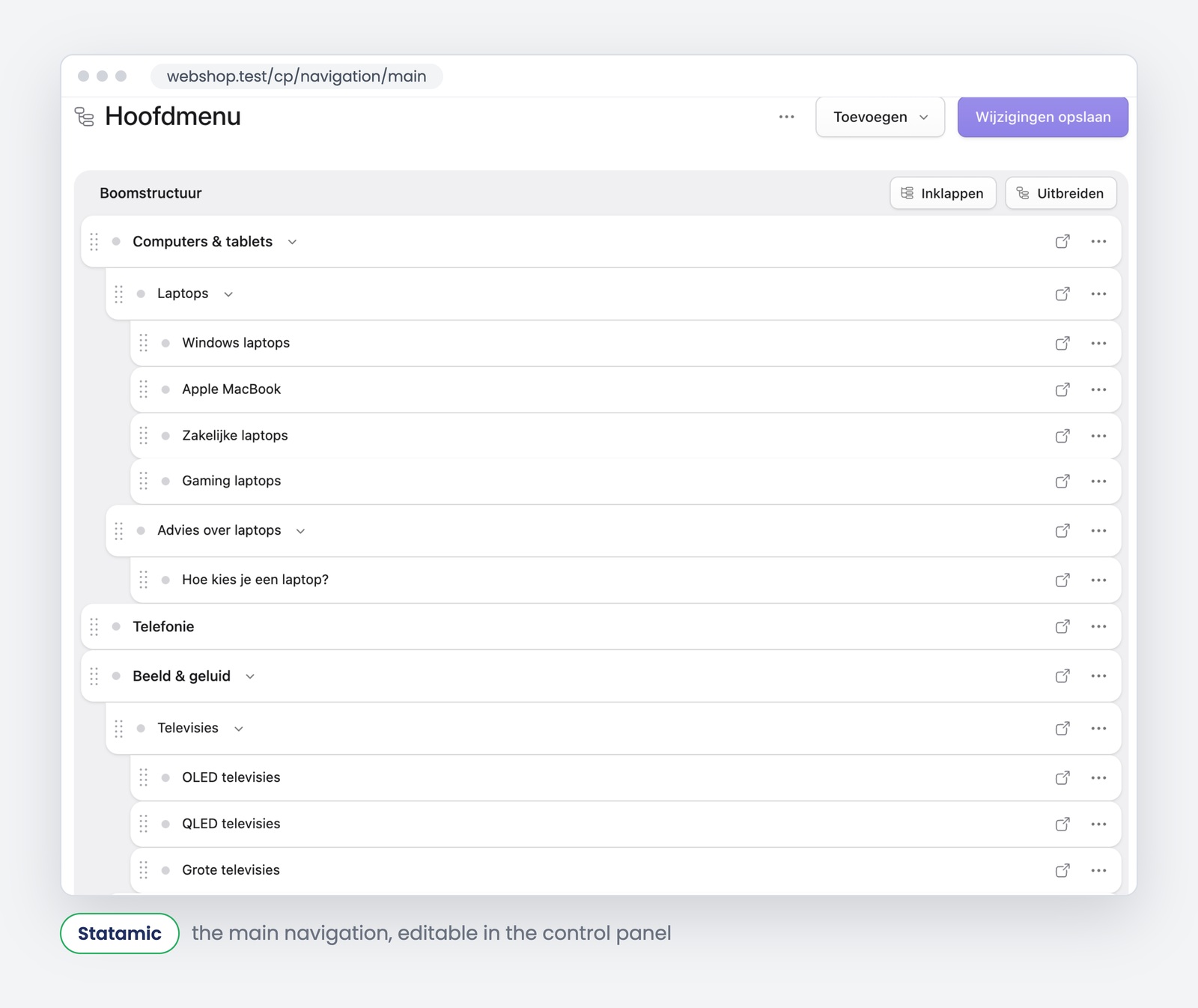
The navigation, the footer and the selling points with the green checkmarks come from Statamic, so they stay editable.
Step 4: The catalog
A shop needs products. The brief asked for three product types; Claude creates four in Magento: laptops, televisions, washing machines and headphones. Each one is an attribute set with its own attributes and specification groups, 31 attributes in total.
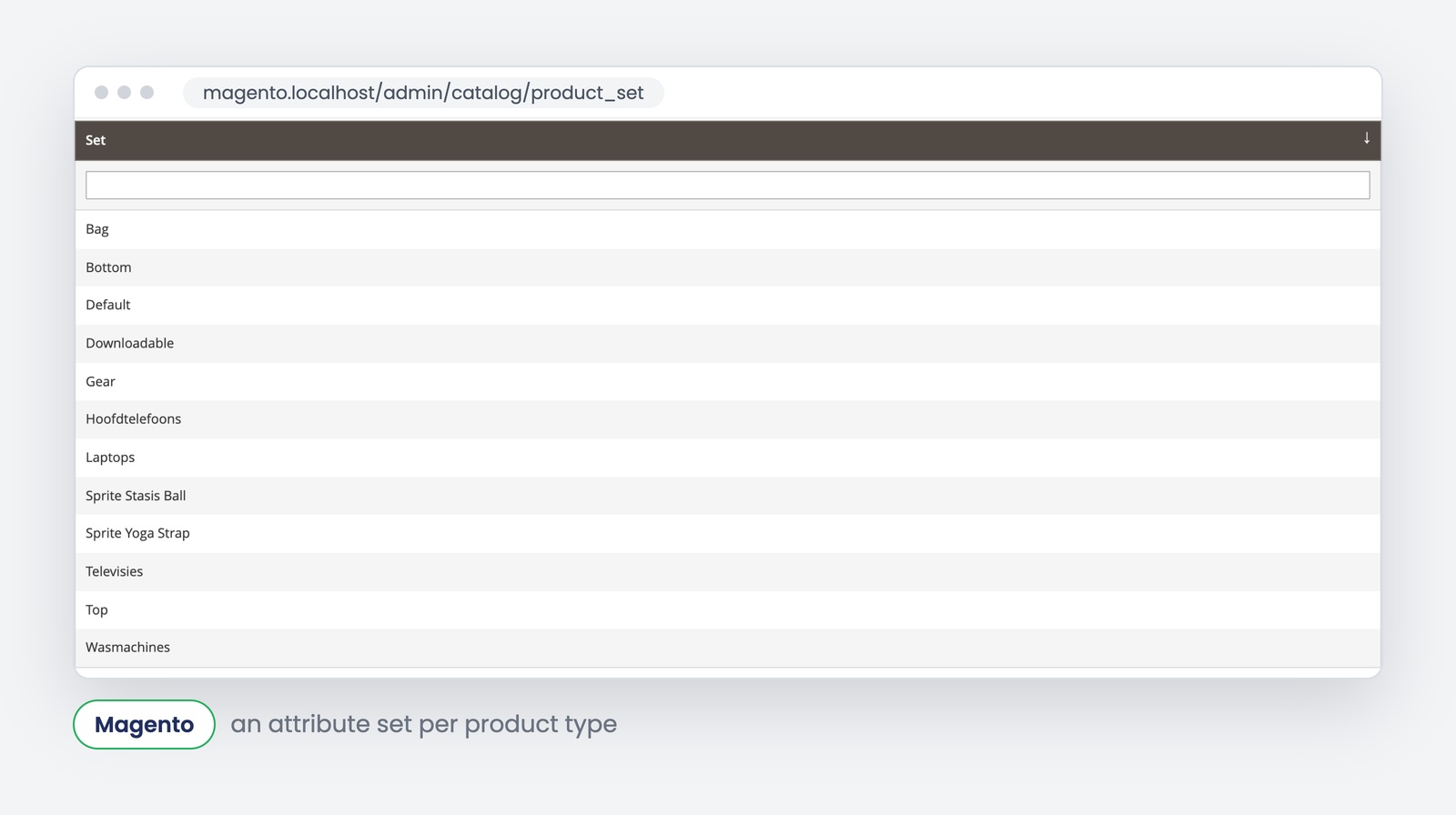
For the demo, a subagent on a cheaper model collected 34 example products from the original shop with their specifications and photos. Claude imported them with a script, including a configurable headphone in three colours and 102 reviews. Descriptions and the plus and minus points were rewritten instead of copied. In Magento the specifications become attributes, and in the shop they show up as specifications and filters.
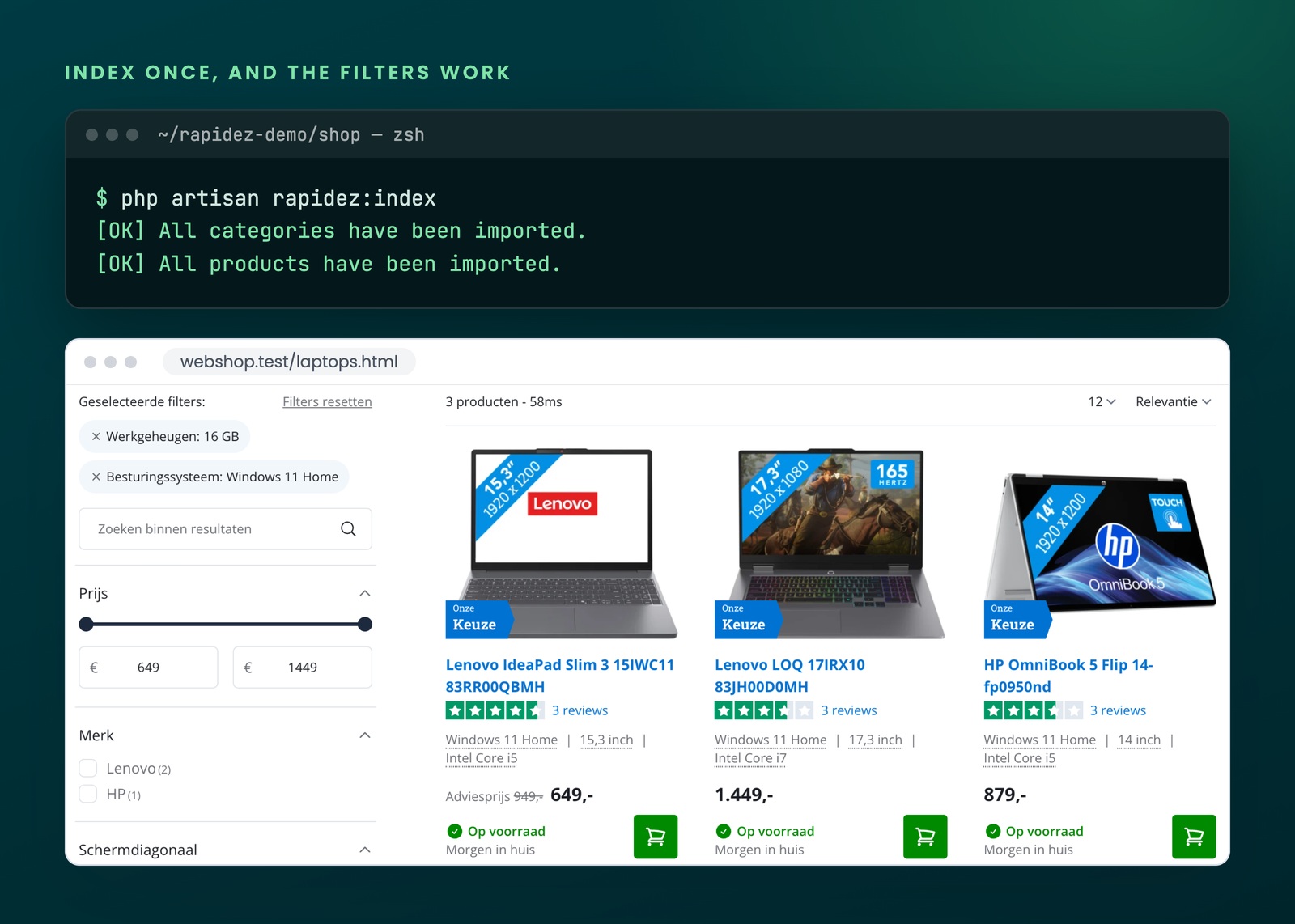
After php artisan rapidez:index the filters work. Every category gets its own filters straight from the Magento attributes, and they update instantly, without a page reload.
Step 5: Content in Statamic
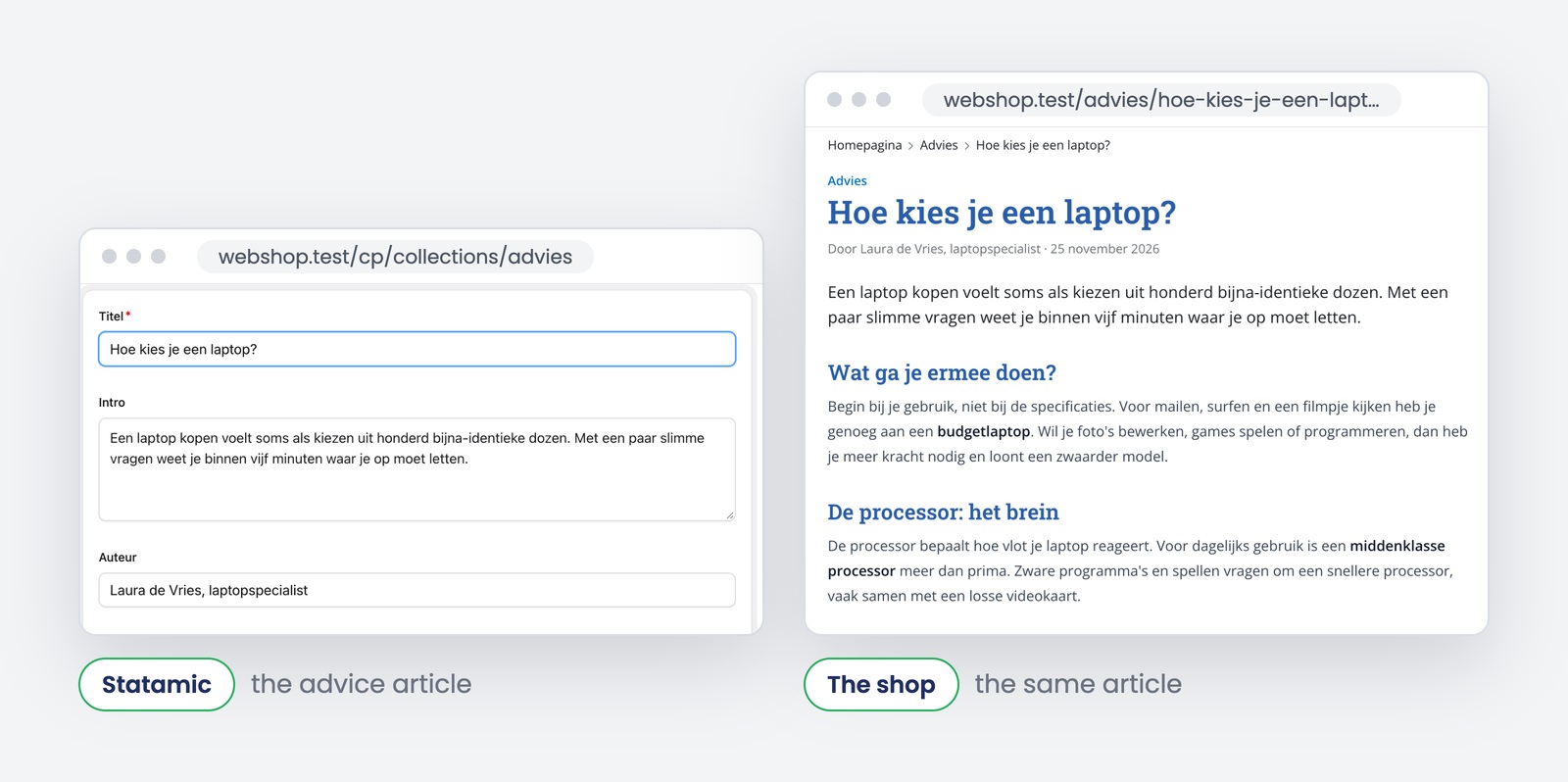
Content lives in Statamic. Claude sets up a collection per page type: advice articles, store pages and customer service, each with its own blueprint and template. Editors can change every article, store and service page in the control panel.
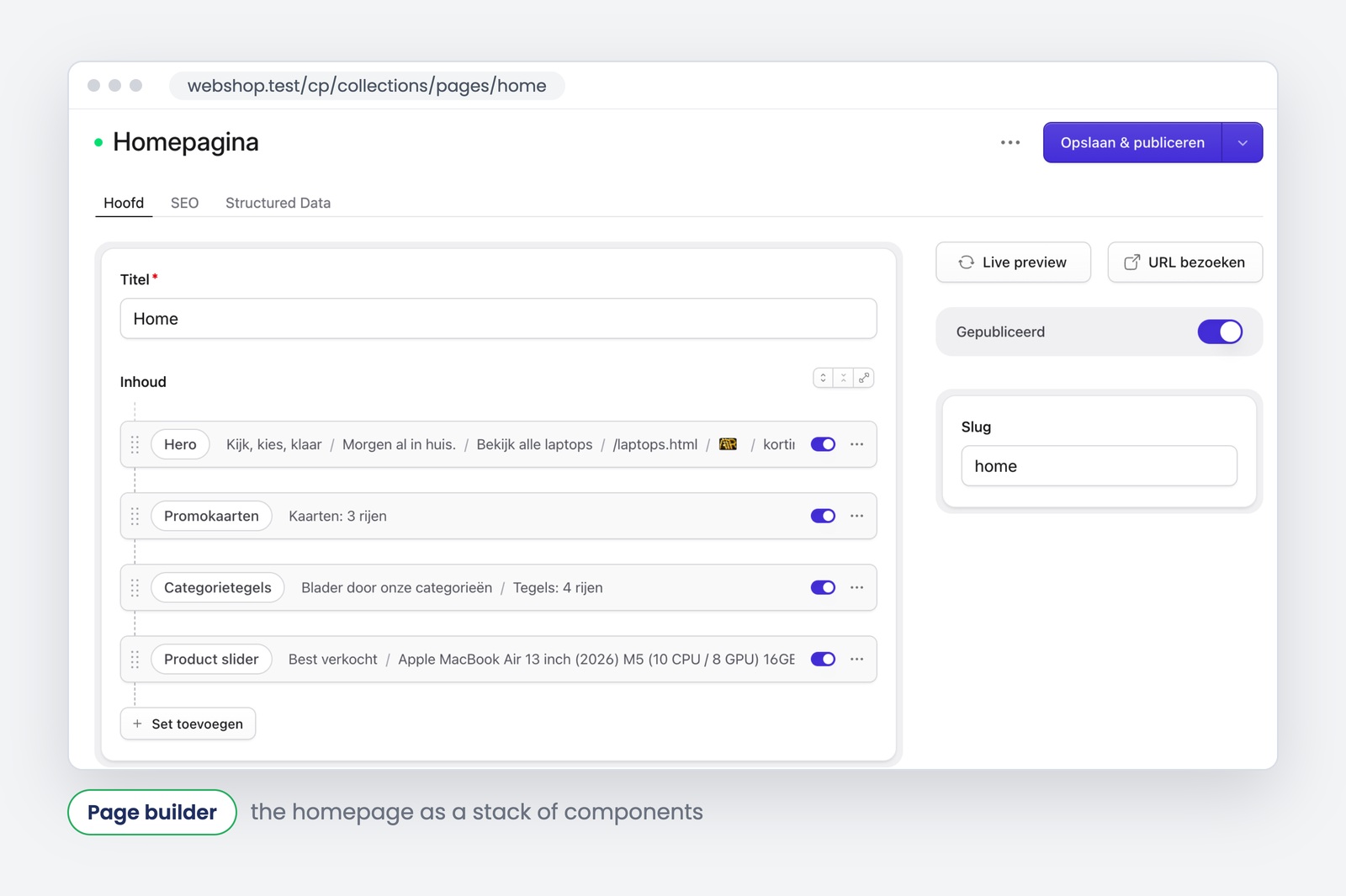
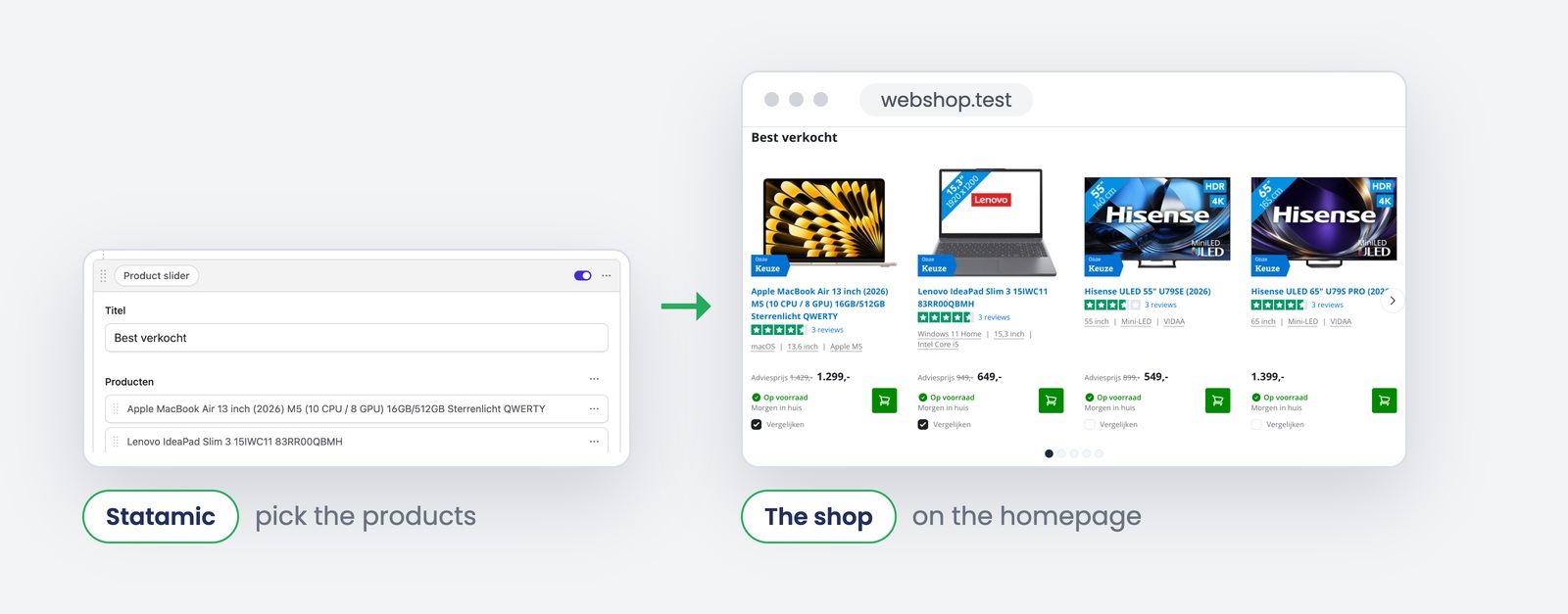
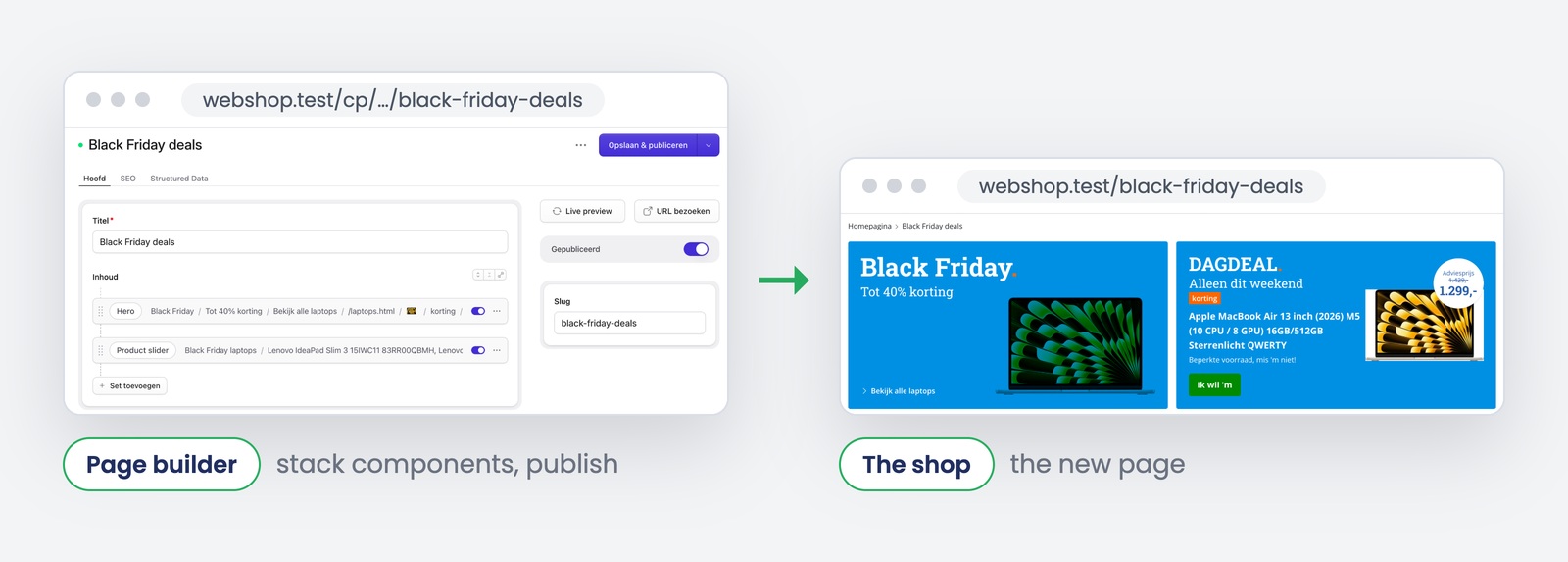
The homepage is built from components in the page builder. Claude kept the sets from rapidez/statamic, like the product slider, and added three: a hero banner, promo cards and category tiles.
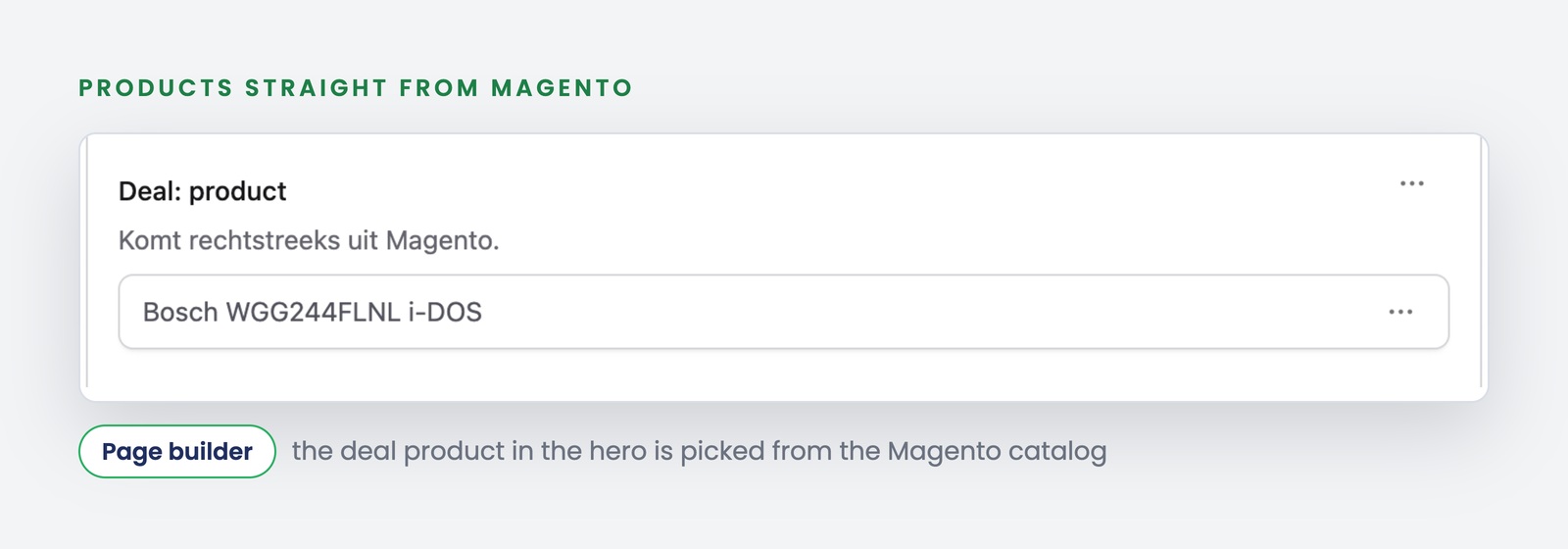
The products in those blocks come straight from Magento through Runway, so there's nothing to sync.
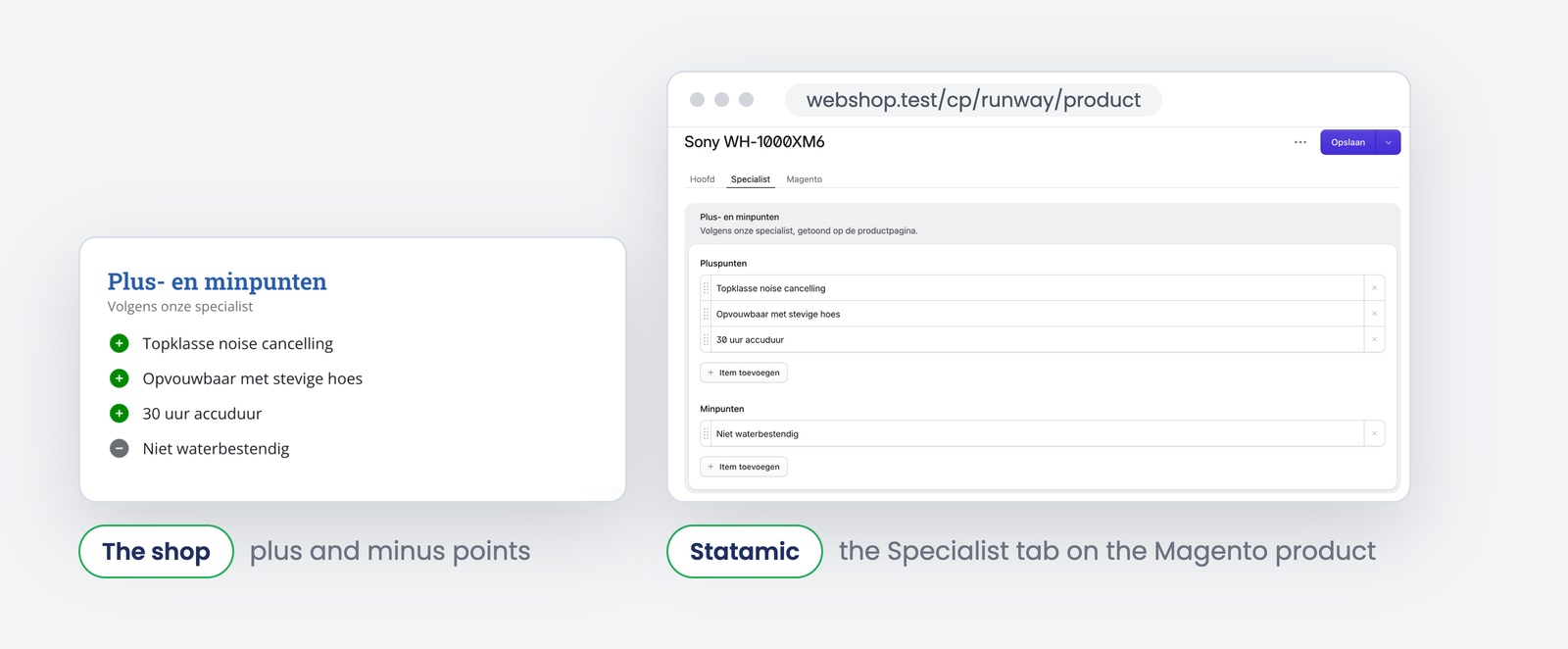
The plus and minus points on the product page could have been an attribute in Magento. We did it differently on purpose, to show how you can enrich Magento products with content from Statamic: a "Specialist" tab on the product in the control panel.
Step 6: Time to shop
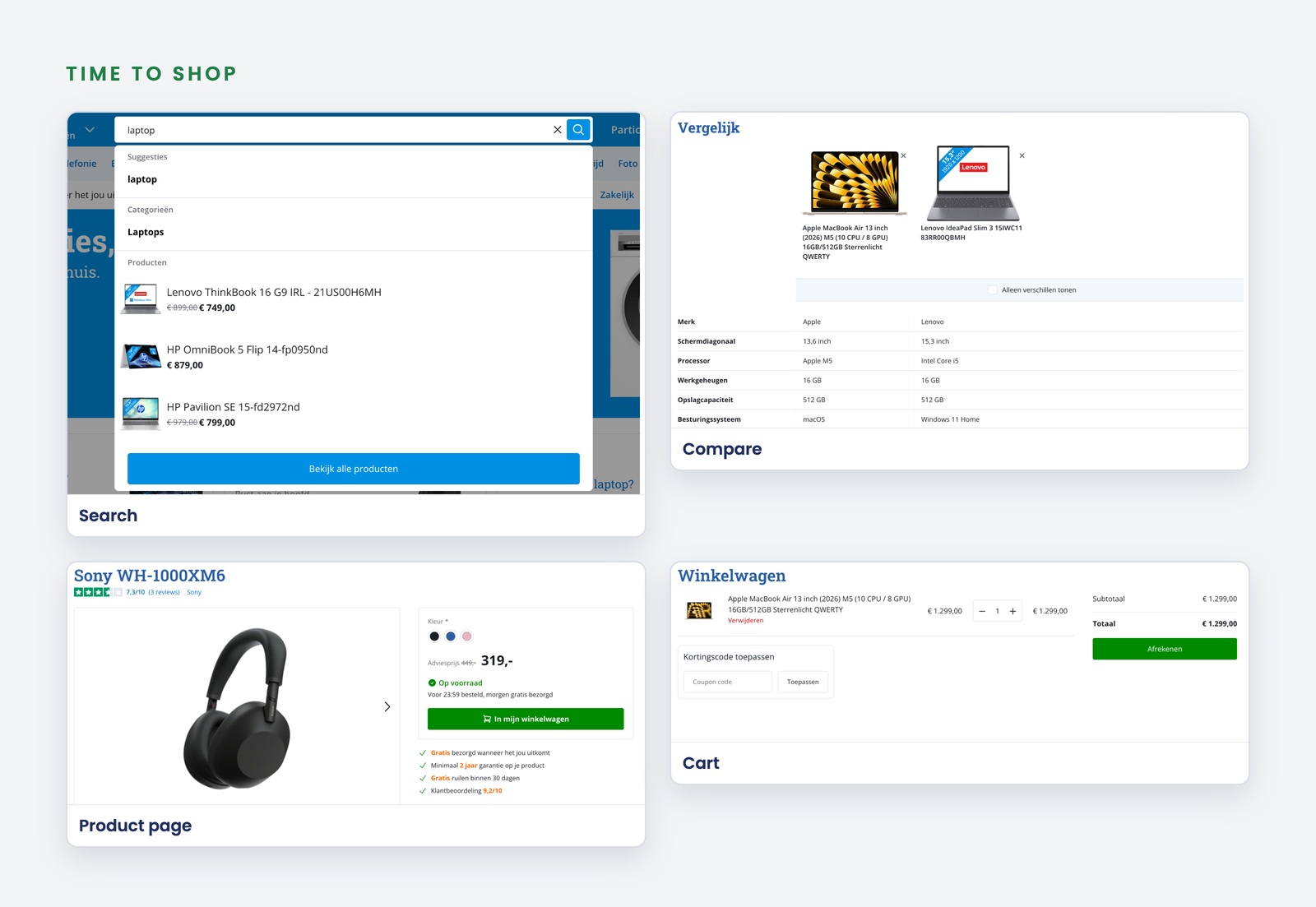
An hour and ten minutes in, the whole flow works. Search for a laptop, filter on memory and operating system, compare two, open a product page with specifications, reviews and the expert's verdict, add it to the cart and go through the three-step checkout.
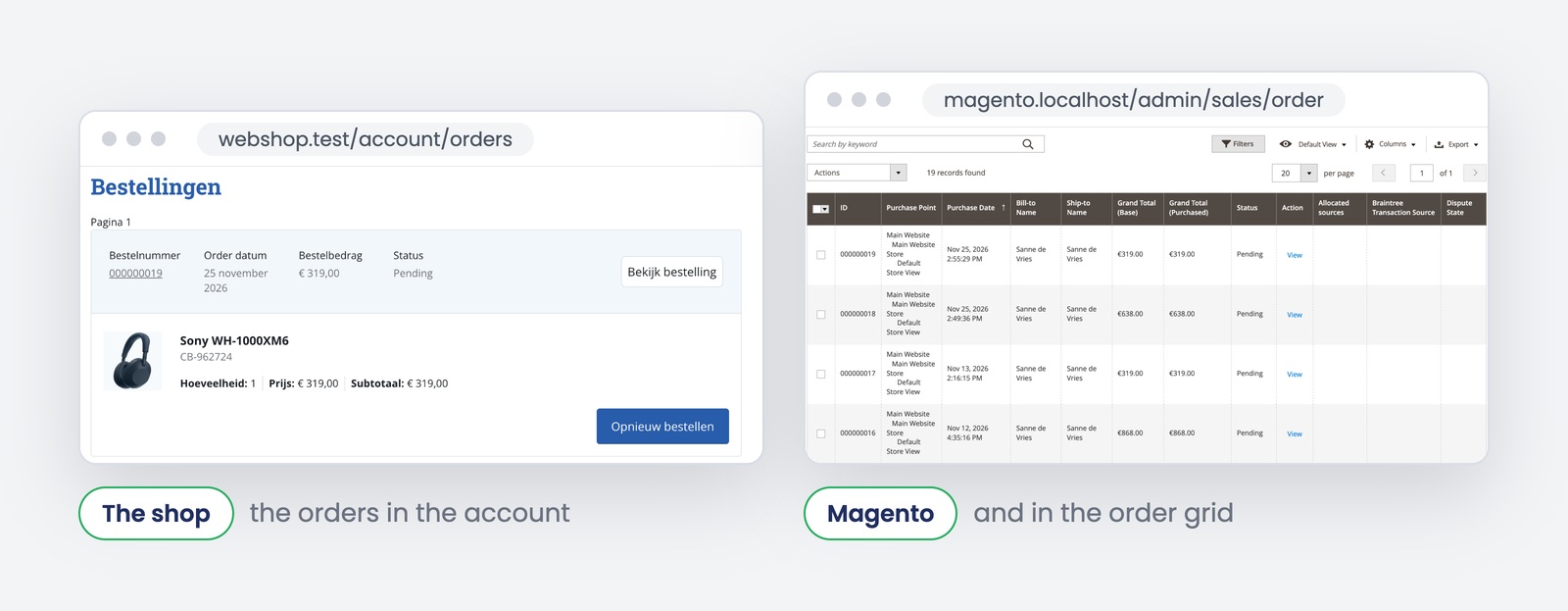
The order shows up in the account, and in Magento.
Step 7: Verify
To finish, Claude writes a Playwright walk of 20 steps, from the homepage to the order and the content pages, with a screenshot of every step.
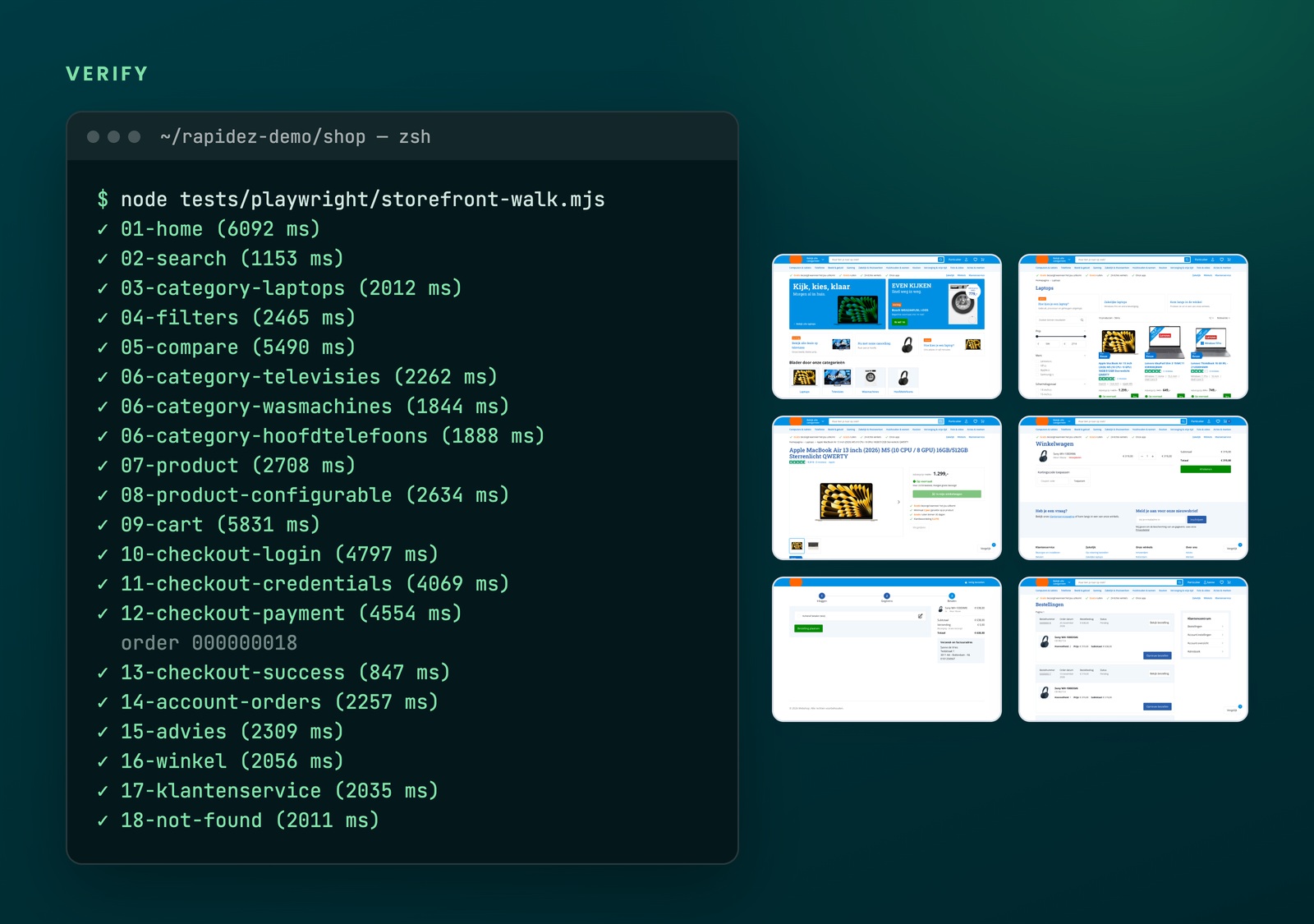
That's 1 hour and 38 minutes of work, from an empty folder to a storefront you can click through.
After the build
From here on, you don't need AI to keep the content up to date. A marketer opens Statamic, swaps the banner, picks a few products and saves.
A new page works the same way: stack a few components, fill them in and publish.
What you can do next
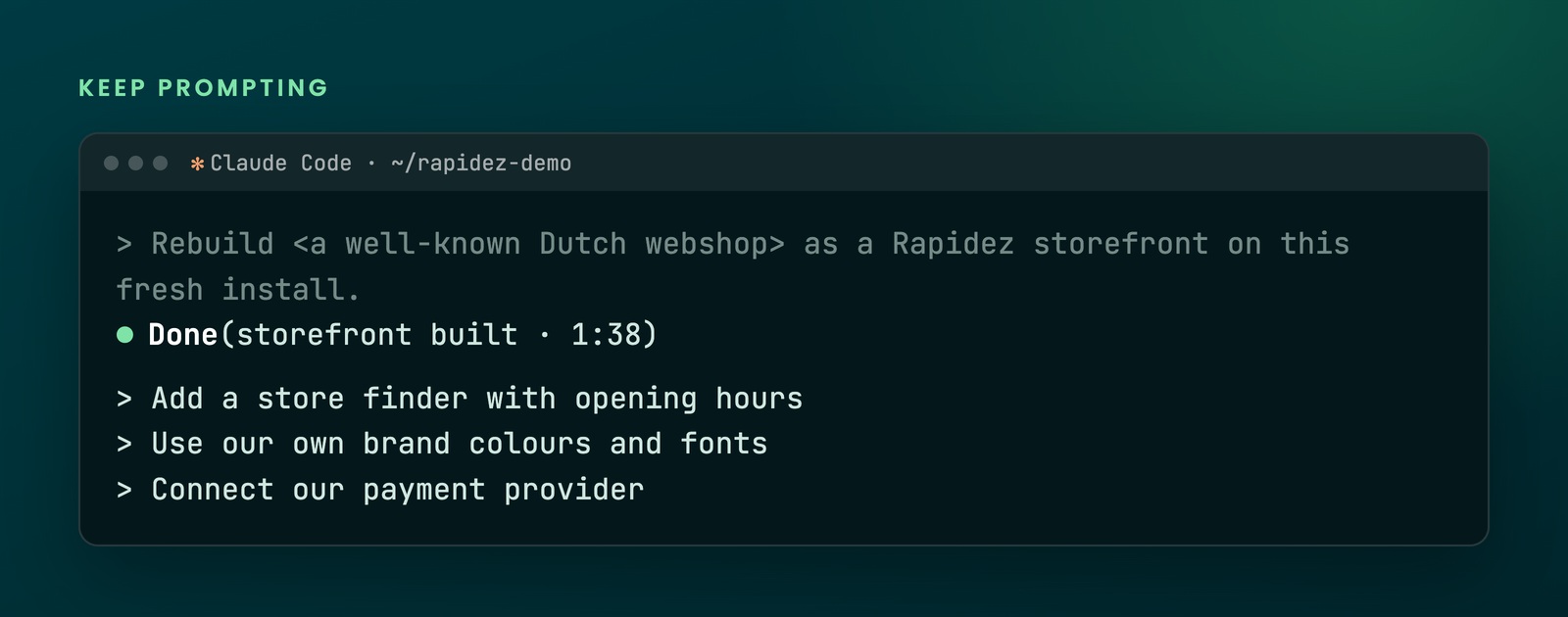
This is a demo and a starting point, not a finished webshop. From here you keep prompting until it's exactly what you want: a store finder with opening hours, your own brand colours and fonts, or your own payment provider. It's a Laravel app with ordinary Blade overrides, so you or your developers can take it from there as well.
Try it yourself
We turned what worked into a skill: rapidez-storefront. Give it a reference URL and it goes through the same phases as above: install, research, look, catalog, content, flow and verify. By default it only takes over structure and patterns; names, logos, texts and photos only when you say so.
You'll find the skill on GitHub. To install it, run this in an empty folder:
mkdir -p .claude/skills/rapidez-storefront
curl -o .claude/skills/rapidez-storefront/SKILL.md https://gist.githubusercontent.com/royduin/beb18744bc0c720b1a6fe4e98d18a2b5/raw/SKILL.md
Make sure you have Docker, PHP, Composer, Node and pnpm, start Claude Code in that folder and ask:
Rebuild your-shop.com as a Rapidez storefront on a fresh install.Now imagine pointing it at your own webshop 😎 Questions? Contact us and we're happy to think along with you!

